← Back to Weight Habits - Mindful Eating Without the Tracking Fatigue
Delete Your Account
Weight Habits
Last updated: 10 April 2026
How to delete your account
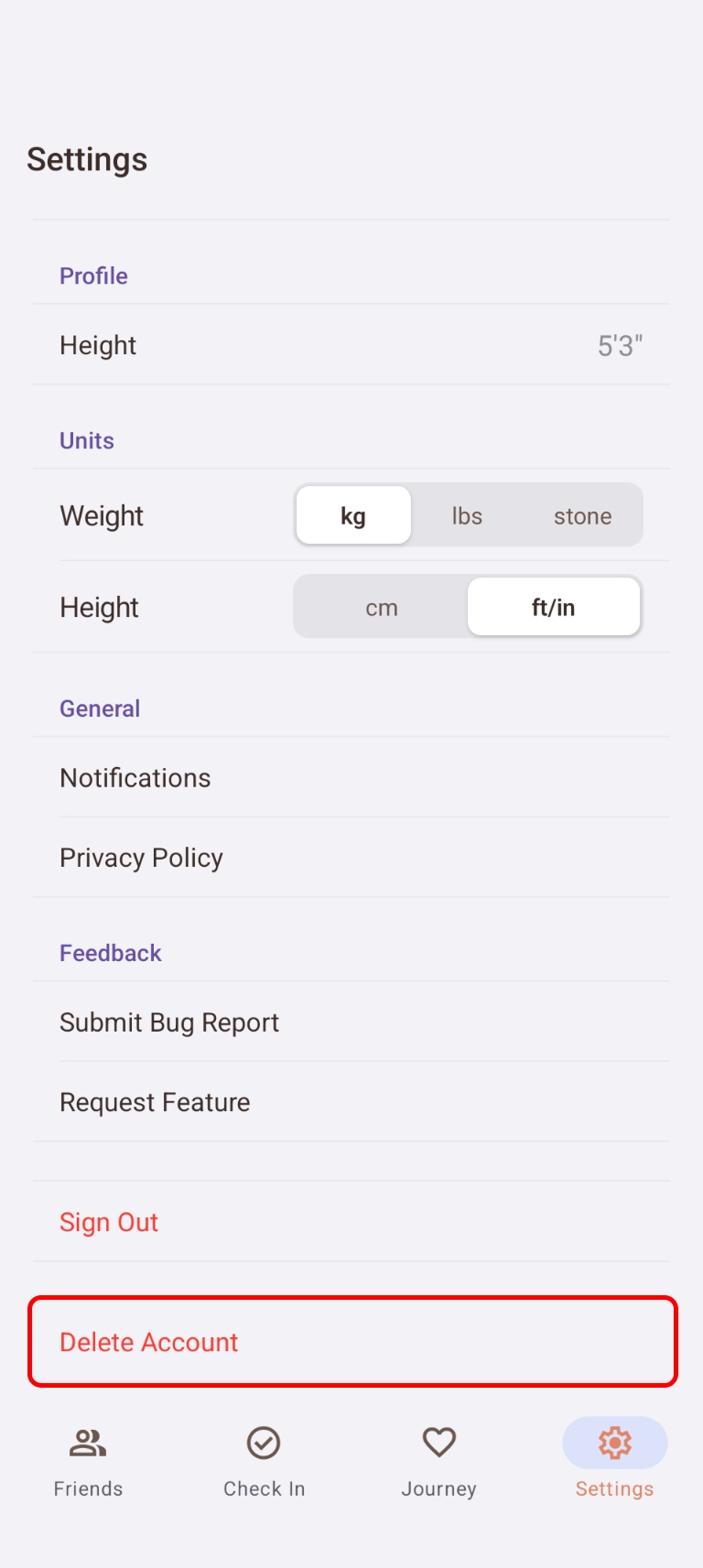
You can permanently delete your account and all associated data directly from within the Weight Habits app.
Steps
- Open the Weight Habits app
- Tap the Settings tab (bottom right)
- Scroll to the bottom of the page
- Tap Delete Account
- Confirm by tapping Delete in the confirmation dialog
If you are using the app without signing in (anonymous user), the button is labelled Delete Data.
What gets deleted
The following data is permanently and immediately deleted from our servers:
- Your user profile (display name, height, weight, units, notification preferences)
- All check-in history
- All goals (active and past)
- All friendships, including shared data and encouragements
- Your Firebase authentication account
- Local app data (cached preferences, pending invites)
This action cannot be undone.
What is retained after deletion
- Anonymised analytics: Firebase Analytics events are aggregated and anonymised. Individual user records cannot be deleted retrospectively, but they are not linked to your identity after account deletion.
- Crash reports: Sentry error reports are retained for up to 90 days for debugging purposes, then automatically expired. These do not contain personal data.
Can’t access the app?
If you have lost access to your device or can no longer sign in, you can request account deletion in two ways:
- Email us directly at team@addjam.com. Please send your request from the email address associated with your account so we can verify your identity.
- Use our contact form at addjam.com/contact. Select any budget option and mention “Weight Habits account deletion” in your message.
We will process your request and delete all associated data within 14 days.
Questions?
For any questions about your data or account, contact us at team@addjam.com or read our Weight Habits Privacy Policy.